
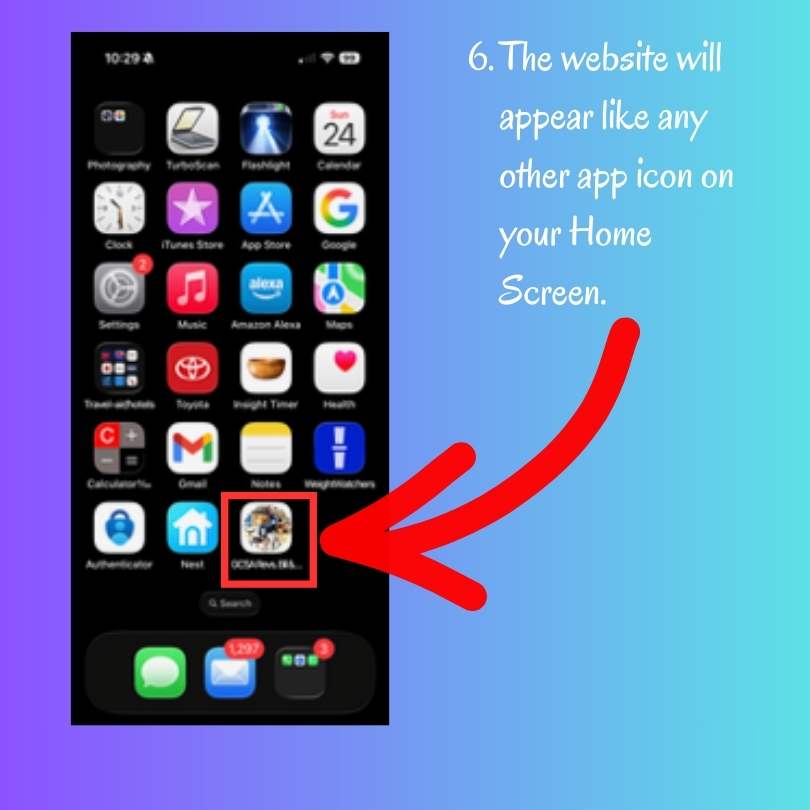
How to Add a Website to Your iPhone as an App
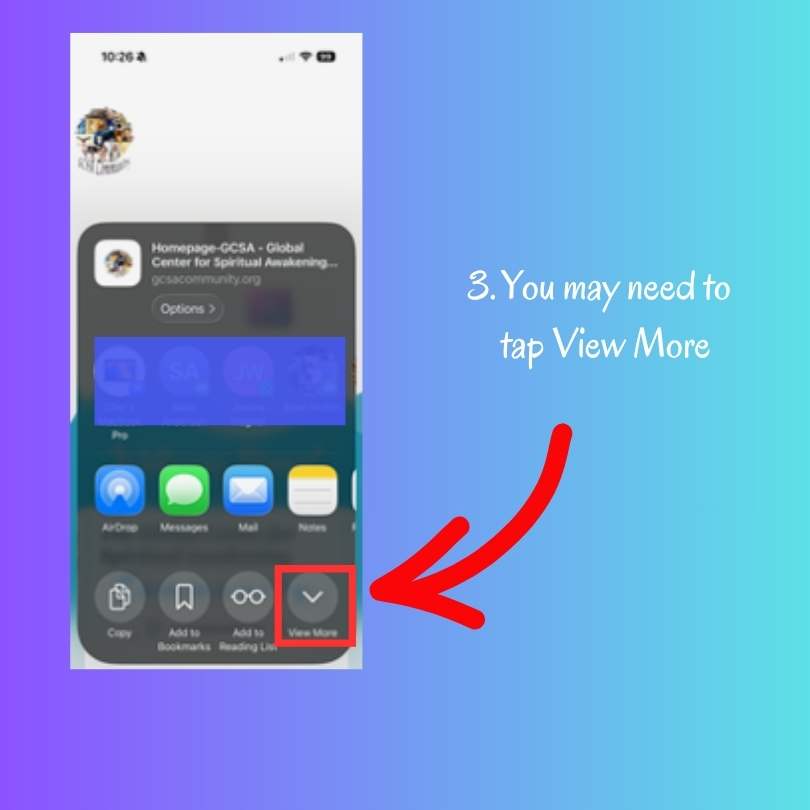
Imagine having us accessible on your smart phone: Yes you can! Our website is filled with incredible articles, spiritual practices, and inspirational resources … and you can now easily have it available as an app on your phone!
Here’s how, step-by-step:
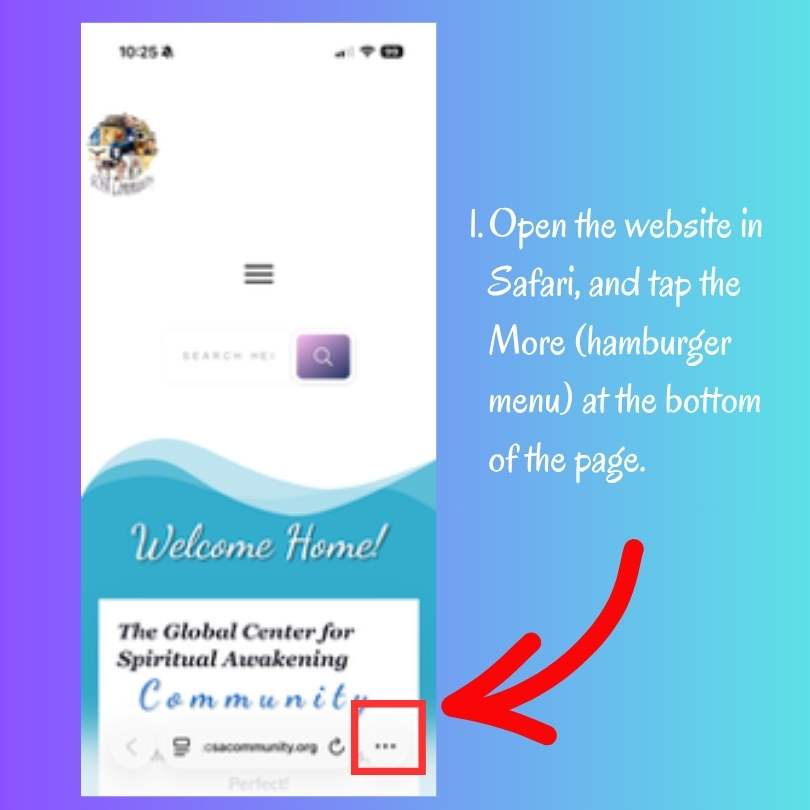
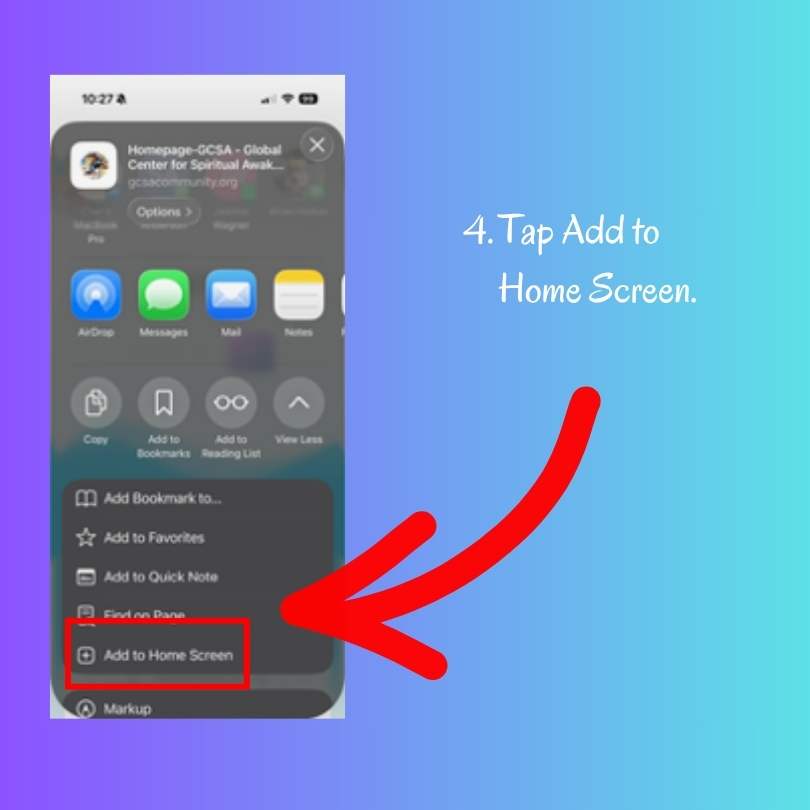
Tap the Share icon.
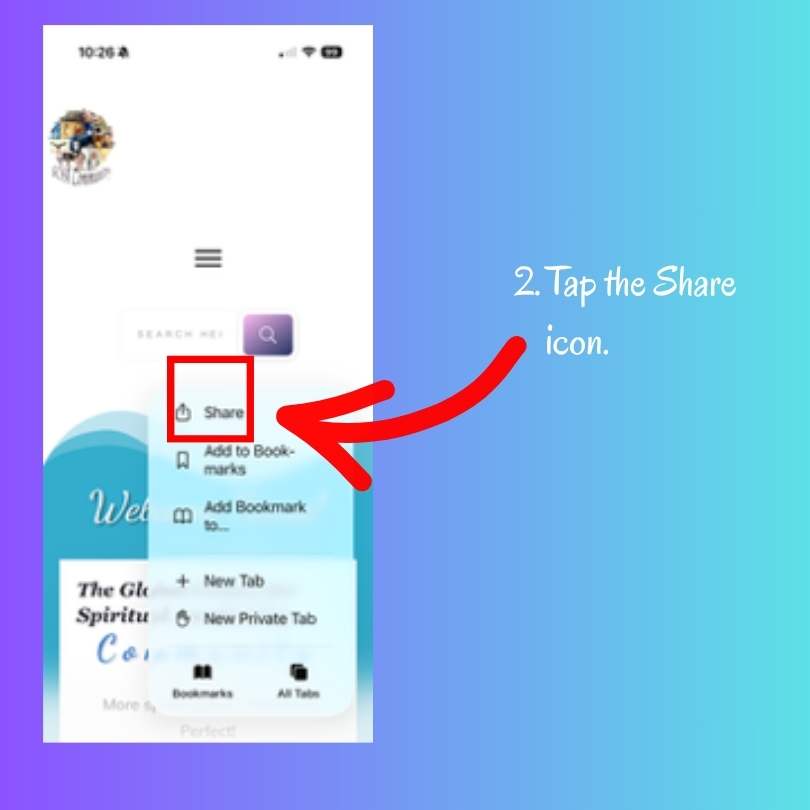
You may need to tap View More.
Tap Add to Home Screen.
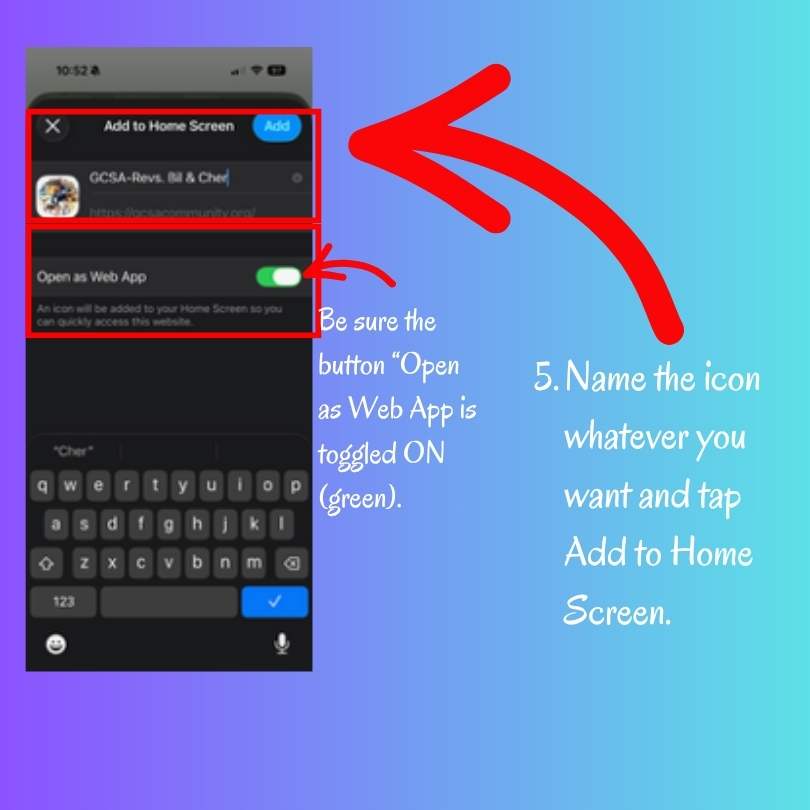
Name the icon whatever you want, and tap Add to Home Screen. (Be sure the button "Open as Web App" is toggled ON (green.)
We're hoping you add this site to your iPhone for access to all our amazing resources! Once it’s added, you can click on the “hamburger” menu to get to our Blog, schedule a meeting, make a generous donation, see our scheduled events, and more!
And – on the home page we have quick links to anything you want, including our Higher Consciousness Academy (with recordings and resources)! Enjoy!